Online distance learning: Live stream your training courses

Learning online carries many benefits. From reduced travel costs to saving staff time, streaming your course to an online audience can offer new opportunities to your business. We’re going to look at the benefits of online distance learning and why you should live stream your courses.

Online Distance learning isn’t new

Look at the Open University for example, they offer seminars, course materials and communication with lecturers through the medium of the internet. Why make people from all over the place come to a physical location when they can catch a seminar via live streaming? It’s the perfect example of online distance learning.

Online distance learning is more accessible than ever before and not just available to big budgets, it’s a great way to train your workforce.

The benefits of live streaming your courses

Continue reading “Online distance learning: Live stream your training courses”

Time and Money Savings with Live Editing

You will always be able tell the difference between an unedited and edited video. Unedited footage is usually shaky with background sounds that shouldn’t be there. There is often no transitions or contain awkward transitions between scenes. Video editing can fix these to make your video feel like it was shot professionally.

Video editing can be a hassle, especially if you don’t have the hardware, software, or experience. It can also be a burden; especially if you/your client want the client to have the finished product immediately after the event has been filmed.

There are different ways to edit footage. The fastest method is a live edit which doesn’t go through a post-production process.

Here’s a quick look at the different editing processes, just to give you an idea how things work and how live editing differs from the other processes.

Video editing types

Film splicing – Technically this is not video editing, but film editing. This is also what is considered the oldest of all video editing processes. In film, splicing the footage is edited by cutting sections of the film and rearranging or discarding them. A splicing machine then allows film footage to be lined up and held in place while it is cut or spliced together.

Linear editing – In linear editing, the video is selectively copied from one tape to another. Segments from one tape are arranged as how a video editor sees fit the storyboard should run in the second tape. The second tape will become the final copy. It is called linear because it has to start with the first shot and follow a chronology until the last one.

Digital editing – In this method, video footage is saved to a computer hard drive and then edited using specialised software. After this is done, the finished product is recorded back to tape or optical disk. This is also called non-linear editing because the editor can work on any part of the footage at any time and not start from the beginning.

Did you notice that those methods involve some processes or some time in a production studio, cutting floor, or editing machine? In other words, they take up time? Not so with live editing.

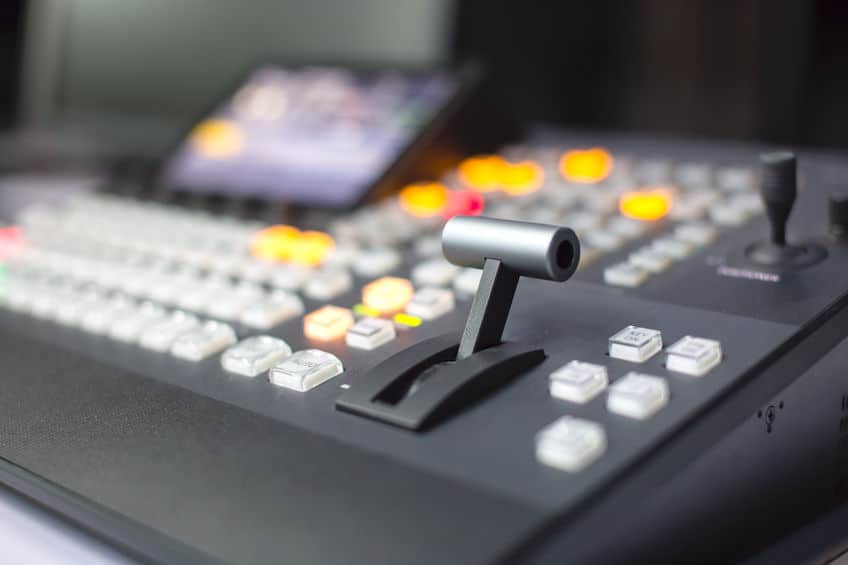
 Live editing – In this method, multiple cameras and other video sources are routed through a central mixing console and edited in real time as the event unfolds. There is no more post-process. A live television coverage is an example of live editing.

The advantages of live editing are obvious; you or your clients get the finished product immediately and you don’t spend any more money to pay for video editing. 

Red Shell Productions provide live editing

If you have any event you want filmed and/or broadcast over the internet; and want that content available immediately to you or your client, we can help. We are Red Shell Productions; a live event streaming company based in West Midlands. We provide end-to-end streaming solutions and filming for companies, groups, and individuals around the country.

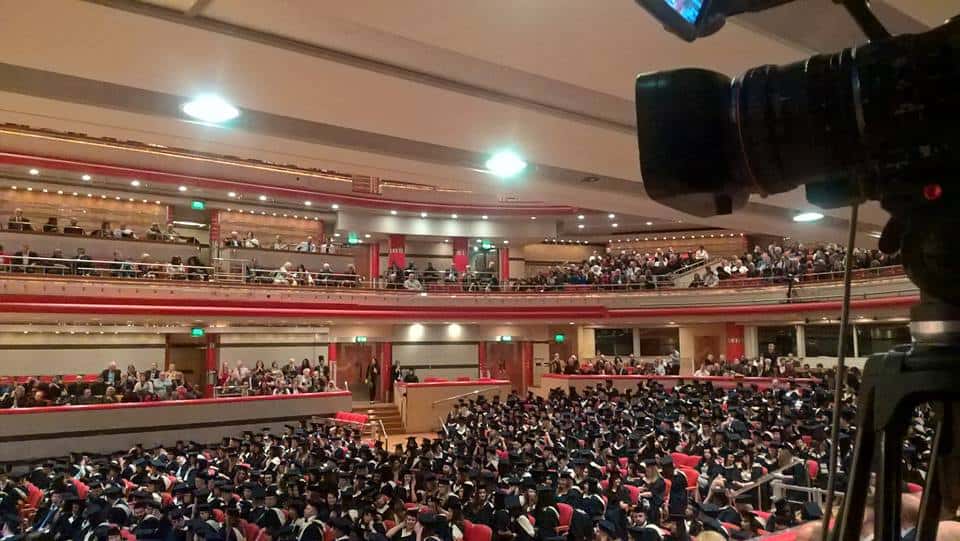
Live streaming graduation: Playback anytime, anywhere

A graduation may be by itself just a simple ceremony; however it comes at the end of years of hard work and sacrifice. For someone who have reached graduation, it means success, the beginning a new chapter in life, and to some extent it can even mean freedom.

There is no understating the importance a graduation ceremony. The sad fact is that not all who have been with that person through thick and thin may be able to attend that graduation. Prior commitments, time constraints, location and seating within the venue are just a few reasons loved ones can’t attend a ceremony.

However, there is a way to make sure they still get to see the memorable event as it happens; live streaming.

The advantages of live streaming graduation

Money saved for the audience far away – Attending a graduation in another part of the country, or another country altogether, will cost money, sometimes too much. There’s airfare to consider, accommodation, meals, etc.

Sharing of videos – Graduations live streamed through social media platforms are easily shared. Even if you choose to live stream to your website, sharing links on social media is really accessible and makes sharing those moments even easier. Online audiences can form their own supportive community through their comments, likes, shares, tweets etc.

No interruptions – When you live stream graduation, it is broadcast in a similar way to news coverage. The event can be paused live, rewound and played back later. This is ideal if you’d like to replay that proud moment.

No captured audience – Let’s be fair, you’re watching for the one or two family members or friends who are graduating. The graduation audience will sit through all the graduates names being announced whilst those online can continue their day once they’ve seen what they’d like to see.

Available for playback later on – It gets even better! After the live stream, the video is available on immediate playback. You can play back anytime, from any device, as long as there is an Internet connection. And yes, you can skip any boring parts to get to the section that is really important you.

For many, graduation is a once-in-lifetime event. The good news is that you can experience it again and again via video. Live stream that graduation and have your own copy, keep those memories fresh and available whenever you want them to be.

Our experience when it comes to live streaming graduation

We have good credentials when it comes to covering graduations. We currently live stream graduations for a local University as well as other events they host throughout the year.

To discuss your live streaming graduation, email info@redshellproductions.co.uk or call us on 0121 667 8977


How to get audience engagement and branding for your live stream video

There are many reasons you may be interested in a live stream video or live streaming an event. Whether it’s your corporate event, wedding or sporting event, you are likely interested because you want people to be involved.

Your motives will likely be different depending on what you are live streaming. Essentially, at the end of your event, you want more people to share your moment. If you’re streaming your wedding, you will likely want friends and family that couldn’t make it to enjoy it from afar however, for a press release or business announcement you probably want to reach as many people as possible whilst offering your biggest fans a closer relationship with your brand.

Live streaming is all about engaging with your online followers and reaching a wider audience. With this in mind, audience engagement at the forefront of your planning. Continue reading “How to get audience engagement and branding for your live stream video”

3 Reasons You Should Film Your School Production

A school production is unforgettable and timeless. Keeping not just the memories but the moments alive is a necessity, if you want to relive those golden times. The best way of doing that nowadays is by filming your school production. It gives you an opportunity to share and shine your schoolmates (along with yourself).

Letting Your Schoolmates Be Fantastic on Film

School is a time to embrace and enjoy. It’s one of the rare times for kids to show their skills, abilities and performance as well as starting their journey into the rest of their abilities. It’s the nicest start to a dramatic or insightful beginning of careers. Documenting these very important moments on film, on video, gives them their first edge. The first page, perhaps, in a fruitful online portfolio.

We understand not everyone is ideal on film. But most school performers have the confidence and performance knack to take them much further. By capturing their possibilities, you also capture the brilliance of their school life on video.

Hollywood Has Nothing on Innovation

The youngest, brightest and best are not found in Hollywood. They’re in your school- the next generation of creatives. They’re also the people who complete your school experience. Memorable people who you won’t forget, but can revisit anytime with a film of your school production. Having the possibility of access to your own film production from your school will add to the overall experience. You don’t have to be the next Spielberg to create unforgettable film memories. You just have to take the video production to your personal level. It’s never been easier to access or better for finding your voice and carrying it across.

Looking Back Will Actually Mean Something

Revisiting school days via film will remind you of some of the best moments of your school days. Most people, historically, haven’t had the opportunity of ‘literally reliving’ the great moments, like a school production. Doing a video of it makes sure your highest memories become a tangible and accessible way to see your school days as a full package.

There’s no reason why you shouldn’t have the nicest moments captured on film. Putting your school production on film will also give you enjoyment for years to come, for you- and your schoolmates. That’s not a bad way to express yourself.

Understandably, we can’t publish children to YouTube so we thought we’d show you one of our favourite productions we recently filmed

[Vidage video=”https://www.youtube-nocookie.com/embed/IglUNMc-m_Y” placeholder=’https://www.redshellproductions.co.uk/wp-content/uploads/2019/09/IglUNMc-m_Y-maxresdefault.jpg’ alt=’Film Your School Production’]If you’ve got any questions or enquiries about filming your school production, don’t hesitate to call 0121 6677 898 or email info@redshellproductions.co.uk. We’d love to help you out or give you any advice you might need.

10 Professional Touches to Add to Your Live Stream

If you’re new to live streaming, there are a few considerations you have to make decisions on when you’re designing your next video. Postproduction isn’t really a choice when it’s live, which means you have to map out what you want and need before shooting. We’ve come up with a basic checklist to help sort out your live streaming priorities. Check them out here:

Using a commentator:

Having a voice (and/or a face) to capture your video’s atmosphere is one option for adding personality to a live stream. Please do keep in mind you need to have a quality audio setup for live streaming, as bad audio could disrupt the quality of your video. You might also want to do a few practice trials before doing your live version.

Intro-out video and its uses:

It’s the same as dipping your toe in the water and emerging slowly- you need an intro to ease your audience into your live stream and a gentle way to ease back out. Having short pieces to enter and exit the video make it not only more professional but easier to watch.

Advertising relevant products:

Can you think of something more irritating than an advert that has nothing to do with anything (and even might make your target audience uncomfy)? If you’re going to have adverts added to your video, make sure they’re relevant and tasteful. Bad ads could lead to a loss of audience.

Services during stream breaks:

This is where you can get bonus points from your target audience, by engaging them. Think of competitions, games, Q & A sessions or just simple group chats. You need to keep your audience involved for the entire video, not just the beginning.

Sending a feed to Youtube:

Creating a Youtube channel for your videos has never been so easy; it’s also easy to incorporate for live streaming and then syndication.

Sending a feed to a website:

Using either your own or a 3rd party website as an additional feed line for your live streaming gives your brand a stronger online identity and recognition.

Sending a feed to Facebook:

Facebook has proven itself as a social media icon, and one of the best ways to promote video services or products is using Facebook. It’s got the reputation and the movement to back up the popularity of online video, and is also known for making many films viral.

Using a chat box (like Google+ Hangout):

It’s old but it’s new, and the more Google+ tweaks the better it gets. Those who have left Facebook have emigrated to G+, for many reasons. Being able to not only live stream but partake in the streaming experience via Google+ Hangout is an upcoming trend. You can add over 10 people at a time. It’s a great platform for video business and will only get better.

What is adaptive streaming?

Adaptive streaming is pretty much live streaming that ‘adapts’ to different connection speeds, without the user feeling a huge lag. It allows many different people on various devices to live stream without losing the video’s integrity. Having adaptive streaming is a clear advantage.

What about HD streaming?

HD live streaming is a bit awkward, but for those with the capabilities the quality is much better. It’s still quite limited, but the availability is getting better and the format itself is a good artistic choice.

We hope these 10 tips for adding professional touches to film have helped you, and of course we’d love to hear if you have any extras. For more information about live streaming your event, please call us on 0121 6677 898 or email info@redshellproductions.co.uk and we’d be happy to answer any questions you may have

Preventing and Fixing Bad Audio on Your Videos

It’s happened to almost everyone who’s shot video of a special event at one time or another. The footage is picture perfect, but the background noise of the audio ruins it. Here are a few tips for preventing extra noise, types of audio problems and how we can help fix it:

Tips for Improving Video Sound

It’s much easier to do a little audio preparation before shooting than to rely on postproduction to clean your video’s sound. Three pieces of advice to help you prevent bad audio on your next video:

  • Choose a location with little noise. You may not be able to choose the place you’re shooting your video, but if you have a choice, pay attention to any background sound. It can include street noise from traffic, machines or a crowded area with too much background chatter. Try to find the quietest location if you can.
  • Use a microphone. Your video camera might have a high-quality built-in mic, but that isn’t a guarantee of clean audio sound. In fact, they’re guilty of picking up too many extra sounds that can create a muddy audio.

The lavalier mic (aka the lapel mic) is a great choice for both professional and amateur videographers. It’s easily hidden, it focuses on the speaker and you have a choice between wired or wireless microphones.

  • Do a sound test before recording. This is something a lot of people forget when they’re making a video. A simple sound check before you start filming could save you a lot of time postproduction. You’ll be able to hear how much or how little background noise there is and the quality of the audio.

Types of Audio Problems on Video
Even the most experienced videographers can run into problems with their audio. It could be due to external situations, locations or even faulty equipment. This is a list of the most common problems with sound on your video:

  • Low quality of your camera’s built-in mic
  • Crackling or static
  • Distortion or too much bass
  • Buzzing or humming
  • Overwhelming background noise

Fixing or Reducing Bad Audio on Your Video

When you’ve discovered audio problems on your video, it might be possible to reduce or even fix the sound. We can fix many audio problems (within reason); backing tracks can reduce a lot of background noise; and in some cases a graphic equalizer can be used to minimize the noise.

Keep in mind that it may be impossible to remove the audio you don’t want, while keeping the audio you need for your video.

Don’t Give Up on Your Video Because of Bad Sound
It’s disheartening to find your video’s audio is less than what you expected. Don’t forget that there might be a solution and a way to minimize the audio problems, or perhaps remove them. Ask an expert to find out before you give up on your video. If you would like to discuss your sound requirements with a member of the Red Shell Productions team, call 0121 6677 898 or email info@redshellproductions.co.uk

In the meantime, feel free to use our tips to ensure your next video has great sound quality!

Exit mobile version